
HDO Box for PC: Run It on Windows (2026 Guide)
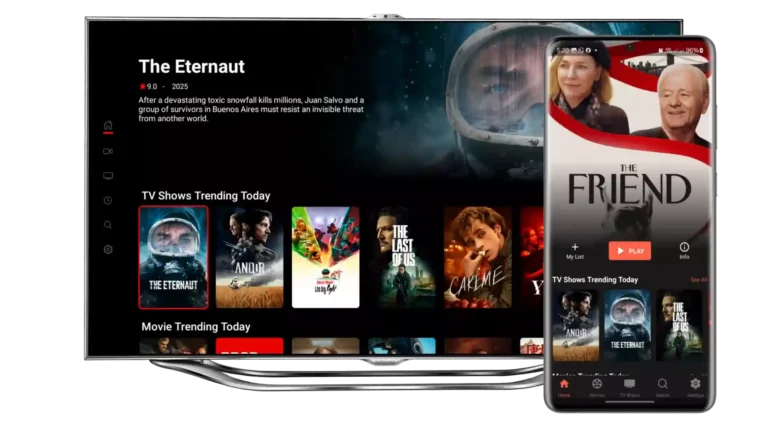
There’s no native HDO Box app for Windows in 2026 — it’s an Android app. The way everyone runs it on a PC is through an Android emulator: a program that creates a virtual Android phone on your Windows machine. Setup takes about 15 minutes, and once it’s done you can watch HDO Box movies and shows on your full-size monitor.
Important first: the original HDO Box app died in 2026 — it opens to an empty library. The version that works is HDO Box Plus, the community fork. Get the Plus APK from this site’s download page and install that inside your emulator.
What you need
- A Windows 10 or 11 PC with at least 8GB of RAM (16GB is smoother).
- An Android emulator. BlueStacks and LDPlayer are the two reliable free options.
- The HDO Box Plus APK from the download page above.
Install HDO Box on PC: step by step
- Install an emulator. Download BlueStacks or LDPlayer from its official site and install it on your PC. During setup it may ask you to enable virtualization (VT-x/AMD-V) in your BIOS — this makes the emulator much faster. Follow its prompt.
- Open the emulator and finish the initial setup (sign in with a Google account when asked, or skip it — it’s not required for sideloading).
- Get the Plus APK. In your PC’s browser, go to the HDO Box download page and download the current Plus APK.
- Install the APK in the emulator. Drag the APK file onto the emulator window (both BlueStacks and LDPlayer support drag-and-drop install), or use the emulator’s “Install APK” button and select the file.
- Open HDO Box Plus inside the emulator, grant it storage permission, and start browsing.
That’s it — HDO Box now runs in a phone-shaped window. Stretch the emulator window or switch to full-screen mode to watch on your monitor.
Make it run smoothly
- Give the emulator more resources: in the emulator settings, allocate 4 CPU cores and at least 4GB of RAM if your PC has 16GB.
- Enable virtualization in BIOS if you haven’t — this is the single biggest performance fix for emulators.
- Use a wired connection or sit close to your router for 4K streams.
- Player: when HDO Box asks for a player on first playback, install Drama Player — it works fine inside emulators.
Common PC problems
HDO Box opens but the library is empty
That’s the dead original app, not your emulator. Uninstall it inside the emulator and install the current Plus APK.
The emulator is slow or laggy
Enable virtualization in BIOS, close heavy programs, and raise the emulator’s CPU/RAM allocation. On weak PCs, lower the emulator’s resolution setting.
“App not installed” when installing the APK
The APK download was incomplete, or the emulator needs more virtual storage. Re-download the Plus APK and make sure the emulator has at least 2GB of free virtual space.
HDO Box for PC: FAQ
Is there an official HDO Box app for Windows?
No. HDO Box is Android-only, and the original project is dead in 2026. The only way to run it on a PC is the Plus fork inside an Android emulator.
Which emulator is best for HDO Box?
BlueStacks and LDPlayer both work well. LDPlayer is lighter on older machines; BlueStacks has the smoothest full-screen mode.
Is HDO Box on PC free?
Yes — both the emulators and HDO Box Plus are free. Never pay for an APK file or a premium download.
Can I run HDO Box on a Mac?
Yes — the same emulators have Mac versions. The steps are identical: install the emulator, then sideload the Plus APK.